Create your Blockchain DApp with Ethereum and VueJS - Tutorial Intro

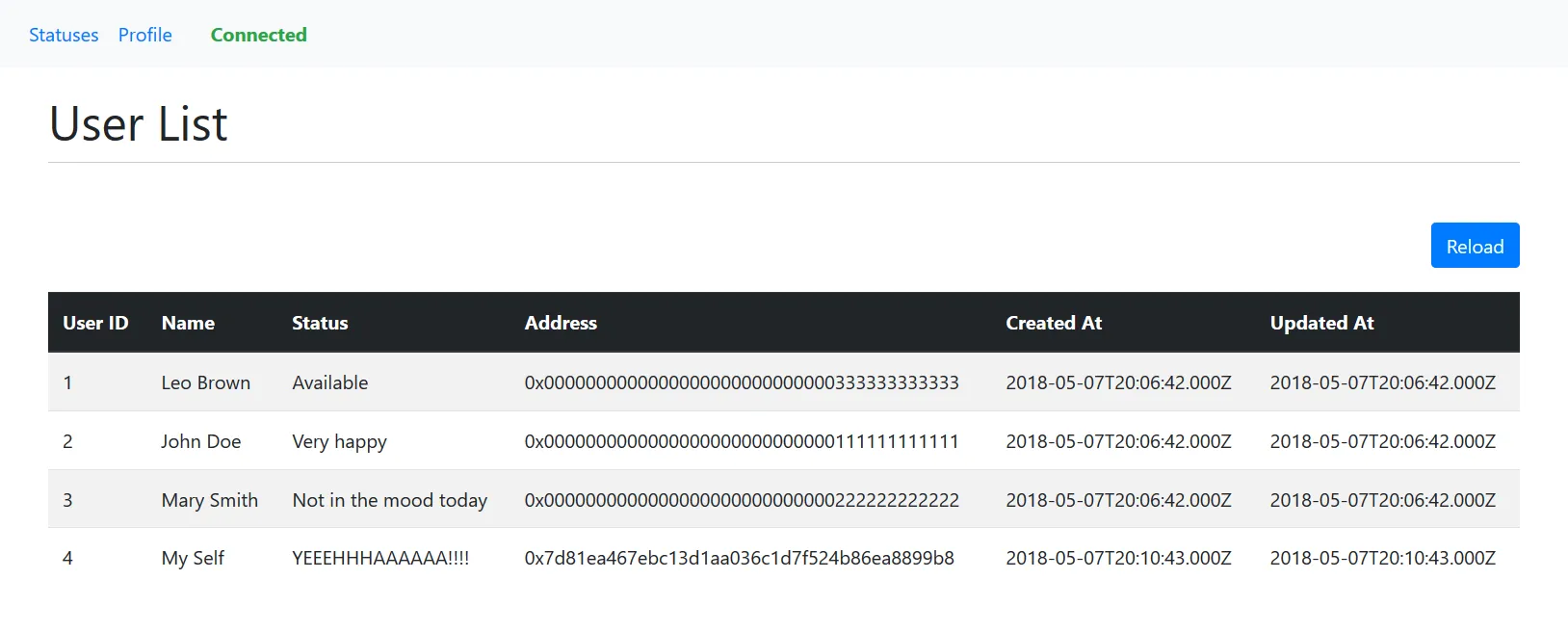
This is a simple decentralized application built using Ethereum blockchain and VueJS for the front-end. This DApp example lets the users store their name and status on the blockchain.
Brief description
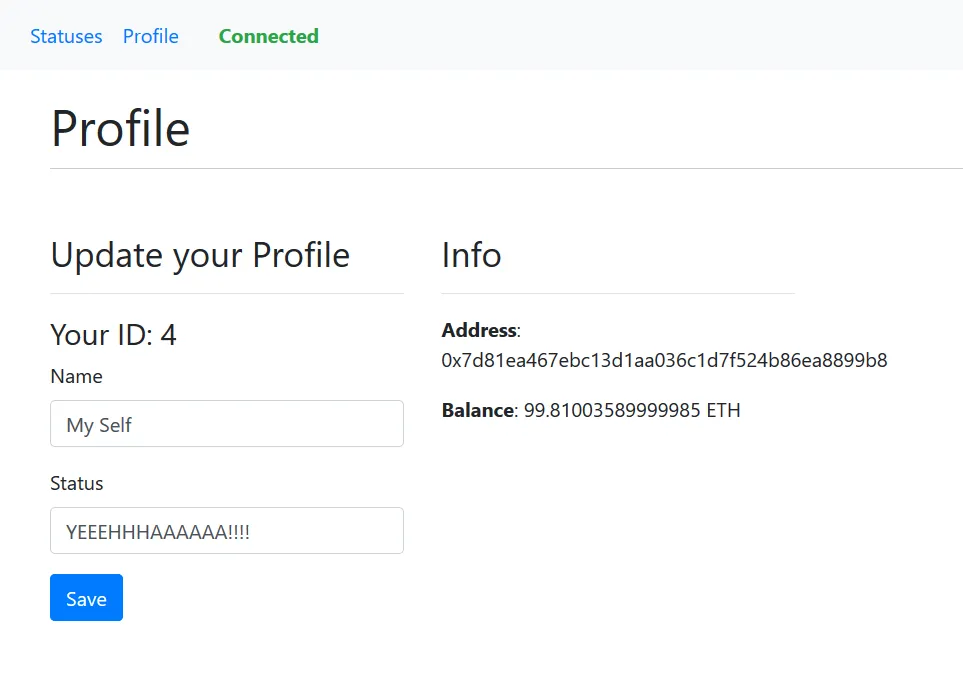
The DApp allows users to register their name and status on the blockchain. The user’s profile is associated with an account address (or wallet address).
The owner of the profile is the only person who can modify his own data. This will give you a technical explanation of what it means when the user is in control of his own data (just like Facebook… sarcasm!).
The smart contract is designed to give the user control of his own information and not even the creator of the smart contract can control any data.
This tutorial is split in two parts:
- PART 1 : set up of the truffle environment, brief explanation of the smart contract and deploy the smart contract to the blockchain.
- PART 2: set up Vue JS and explanation of the project structure.
Prerequisite
- NPM version 5.8.0
- TRUFFLE verson 4.1.5
- Ganache or your private network.
- Metamask: not mandatory but better if you want to insert different profiles.
Quick Start
1) Download the project and decompress it into the folder ~/ethereum-vuejs-dapp (or wherever you want).
2) Start Ganache (or your private blockchain).
3) Open the terminal (if you are using Windows you must use the Power Shell) in the folder ~/ethereum-vuejs-dapp and run the command:
$ truffle console --network ganache4) If ganache is running you should be inside the truffle console; now run the following command in the truffle console:
> migrate --reset --compile-all5) If the migration was successful, copy the content of the file ~/ethereum-vuejs-dapp/build/contracts/Users.json into the folder ~/ethereum-vuejs-dapp/app-users/src/assets/
6) Open another terminal in the folder ~/ethereum-vuejs-dapp/app-users and run the command:
$ npm install7) Once all the dependencies are installed run the command:
$ npm run devIf everything went fine, the terminal will display a message similar to:
DONE  Compiled successfully in 5166ms       15:54:53

Your application is running here: http://localhost:8080
8) Open the browser, go to the URL shown by your terminal and play with the DApp!
NOTE: if you want to try to add more profiles you have to install metamask in your browser, then import the accounts into metamask and finally change account on metamask in order to register a new profile
Related articles
Ethereum Smart Contracts GUI Generator
NPM package for generating automatically a customizable interface from ABI to interact with Ethereum smart contracts.
ReadBlockchain For Not Technical People (public speech)
This is a short speech about blockchain (between 4 and 5 minutes) I delivered during a course on public speaking in November 2019.
ReadHow to Test Smart Contracts - Tutorial
In this tutorial we are going to create test cases to check our Ethereum smart contract is behaving as expected. Remember: the blockchain does not forgive you any error because of its immutability! So better you learn how to test a smart contract!
Read