CSS wave generator
Set the parameters and regenerate the animated dot wave. The output is plain HTML and CSS you can copy into your own page.
Defaults: wave height 30px, dots number 10, dot delay 0.3sec, dot size 6px, cycle time 2.5sec, dot gap 6px, color #c0392b. Values follow the original V1 generator; dots are limited to 50 in this browser tool.
<div id="wave-container" class="wave-container"><div class="dot" id="d1"></div><div class="dot" id="d2"></div><div class="dot" id="d3"></div><div class="dot" id="d4"></div><div class="dot" id="d5"></div><div class="dot" id="d6"></div><div class="dot" id="d7"></div><div class="dot" id="d8"></div><div class="dot" id="d9"></div><div class="dot" id="d10"></div></div>#wave-container{position:relative;height:36px;width:132px}.dot{transform-origin:50% 50%;height:6px;width:6px;border-radius:50%;top:0;background-color:#c0392b;position:absolute;animation:vertical-movement 2.5s infinite ease-in-out}#d1{left:12px;animation-delay:-0.3s;} #d2{left:24px;animation-delay:-0.6s;} #d3{left:36px;animation-delay:-0.9s;} #d4{left:48px;animation-delay:-1.2s;} #d5{left:60px;animation-delay:-1.5s;} #d6{left:72px;animation-delay:-1.8s;} #d7{left:84px;animation-delay:-2.1s;} #d8{left:96px;animation-delay:-2.4s;} #d9{left:108px;animation-delay:-2.7s;} #d10{left:120px;animation-delay:-3s;}@keyframes vertical-movement{0%,100%{transform:translateY(0)}50%{transform:translateY(30px)}}CSS Wave Generator
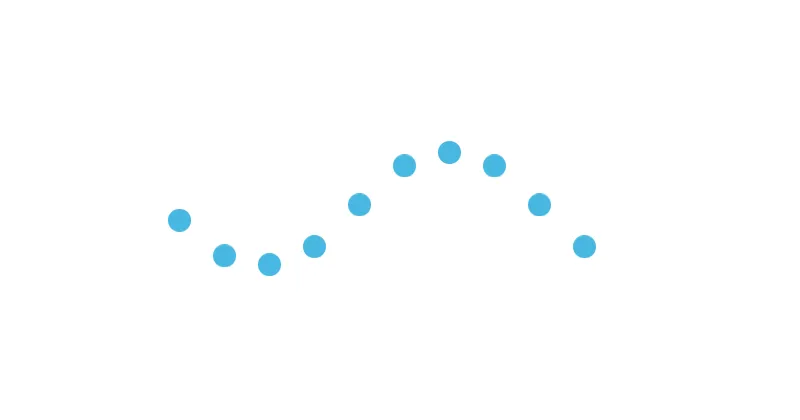
This is a CSS wave generator: just set the parameters below and get the CSS and HTML code! There is an explanation of the parameters at the bottom of the page.
Conversion note — interactive tool. The original page hosts an interactive generator: a live preview shows the animated wave of dots, and a form lets the visitor set the parameters — Wave Height (px) (default 30), Dots Number (default 10), Dot Delay (sec) (default 0.3), Dot Size (px) (default 6), Cycle Time (sec) (default 2.5), Dot gap (px) (default 6) and Color (default
#c0392b) — then press the OK button to regenerate the preview together with the HTML and CSS code below (the Default button restores the default values). The interactive form cannot run in this Markdown copy; the code blocks below show the output generated with the default parameters. The working tool is available on the original page: CSS Wave Generator.
HTML Code
<div id="wave-container" class="wave-container"><div class="dot" id="d1"></div><div class="dot" id="d2"></div><div class="dot" id="d3"></div><div class="dot" id="d4"></div><div class="dot" id="d5"></div><div class="dot" id="d6"></div><div class="dot" id="d7"></div><div class="dot" id="d8"></div><div class="dot" id="d9"></div><div class="dot" id="d10"></div></div>CSS Code
            #wave-container {
                  position:relative;
                  height: 36px;
                  width: 132px;
              }
              .dot {
                  transform-origin: 50% 50%;
                  height: 6px;
                  width: 6px;
                  border-radius : 50%;
                  top: 0;

                  background-color: #c0392b;
                  position: absolute;

                  -webkit-animation:vertical-movement 2.5s infinite ease-in-out;
                  -moz-animation:vertical-movement 2.5s infinite ease-in-out;
                  -ms-animation:vertical-movement 2.5s infinite ease-in-out;
                  -o-animation:vertical-movement 2.5s infinite ease-in-out;
                  animation:vertical-movement 2.5s infinite ease-in-out;
              }
          #d1 {left:12px;-webkit-animation-delay:-0.3s;-moz-animation-delay:-0.3s;-ms-animation-delay:-0.3s;-o-animation-delay:-0.3s;animation-delay:-0.3s;} #d2 {left:24px;-webkit-animation-delay:-0.6s;-moz-animation-delay:-0.6s;-ms-animation-delay:-0.6s;-o-animation-delay:-0.6s;animation-delay:-0.6s;} #d3 {left:36px;-webkit-animation-delay:-0.9s;-moz-animation-delay:-0.9s;-ms-animation-delay:-0.9s;-o-animation-delay:-0.9s;animation-delay:-0.9s;} #d4 {left:48px;-webkit-animation-delay:-1.2s;-moz-animation-delay:-1.2s;-ms-animation-delay:-1.2s;-o-animation-delay:-1.2s;animation-delay:-1.2s;} #d5 {left:60px;-webkit-animation-delay:-1.5s;-moz-animation-delay:-1.5s;-ms-animation-delay:-1.5s;-o-animation-delay:-1.5s;animation-delay:-1.5s;} #d6 {left:72px;-webkit-animation-delay:-1.8s;-moz-animation-delay:-1.8s;-ms-animation-delay:-1.8s;-o-animation-delay:-1.8s;animation-delay:-1.8s;} #d7 {left:84px;-webkit-animation-delay:-2.1s;-moz-animation-delay:-2.1s;-ms-animation-delay:-2.1s;-o-animation-delay:-2.1s;animation-delay:-2.1s;} #d8 {left:96px;-webkit-animation-delay:-2.4s;-moz-animation-delay:-2.4s;-ms-animation-delay:-2.4s;-o-animation-delay:-2.4s;animation-delay:-2.4s;} #d9 {left:108px;-webkit-animation-delay:-2.7s;-moz-animation-delay:-2.7s;-ms-animation-delay:-2.7s;-o-animation-delay:-2.7s;animation-delay:-2.7s;} #d10 {left:120px;-webkit-animation-delay:-3s;-moz-animation-delay:-3s;-ms-animation-delay:-3s;-o-animation-delay:-3s;animation-delay:-3s;}
              @-webkit-keyframes vertical-movement {
                  0%,100% { -webkit-transform: translateY(0%); }
                  50% { -webkit-transform: translateY(30px); }
              }
              @keyframes vertical-movemen {
                  0%,100% {
                      -webkit-transform: translateY(0%);
                      -moz-transform: translateY(0%);
                      -ms-transform: translateY(0%);
                      -o-transform: translateY(0%);
                      transform: translateY(0%);
                  }
                  50% {
                      -webkit-transform: translateY(30px);
                      -moz-transform: translateY(30px);
                      -ms-transform: translateY(30px);
                      -o-transform: translateY(30px);
                      transform: translateY(30px);
                  }
              }
Parameters
- Wave height: wave amplitude in pixel
- Dot delay: time delay between two dots
- Cycle time: time required for a dot to go up and down one time
- Dots number: total number of the dots in the wave
- Dot size: size of a dot in pixel
- Dot gap: distance between two dots
Related articles
WP Social Importer
WP Social Importer is a wordpress plugin that imports news from Facebook, Instagram, Twitter into your website. This plugin transforms automatically the news from your social networks into wordpress posts.
ReadEmail Obfuscator
This tool creates a javascript code that hide your email address from annoying spambot! Check it out or download it!
ReadSocial share buttons
Simple share buttons that follow the reader within the article section only. This project is made with HTML, CSS, jQuery.
Read